
How to Translate Chinese Apps in 2026: Tools That Work
Practical guide to translating Chinese apps and signs — offline packs, camera translation, WeChat's built-in tool, and making Alipay and Didi readable.
The language barrier in China is mostly solvable with two translation tools and a handful of techniques — learned once, used all trip.
English is spoken at big hotels and airports, but the moment you step into a local restaurant, a metro station or a taxi, Chinese takes over. The good news is that the tools have improved dramatically, and so has the built-in translation in China’s own apps. This guide is about the practical side: how to translate Chinese app interfaces, menus, signs and messages without frustration — even apps that have no English version at all.
A good translation setup means menus, signs, taxis and app settings stop being a barrier.
The two-app strategy that works
Rather than hunting for one perfect app, install two before you fly — one foreign and one Chinese. Each covers a different situation:
- A foreign app (Google Translate or Apple Translate) — strong accuracy, good camera mode, and offline packs.
- A Chinese app (Youdao or Baidu Translate) — runs on local networks without a VPN and handles Chinese-to-English naturally.
Our translation app guide compares the top options in depth. Whichever you choose, download the Chinese–English offline pack for every app while you’re still on home Wi-Fi — that single step makes the whole system work even when signal is poor.
Camera translation: your superpower for menus and signs
Camera mode is the feature you’ll use most. Point your phone at a Chinese menu, a train station sign or a shop label, and the app overlays an English translation in near-real time.
Tips that make it dramatically better:
- Steady and close — hold the phone still and let the text fill the frame.
- Tap the text to focus — most apps let you highlight a specific line.
- Use a single dish or line at a time — a whole menu translates more accurately line-by-line.
- Flash for the literal translation, follow-up for the cultural one — some dish names are poetic; if a translation makes no sense, type the characters into a second app.

Bilingual signs are common in tourist areas, but camera translation fills the gap everywhere else.
Translating Chinese app interfaces
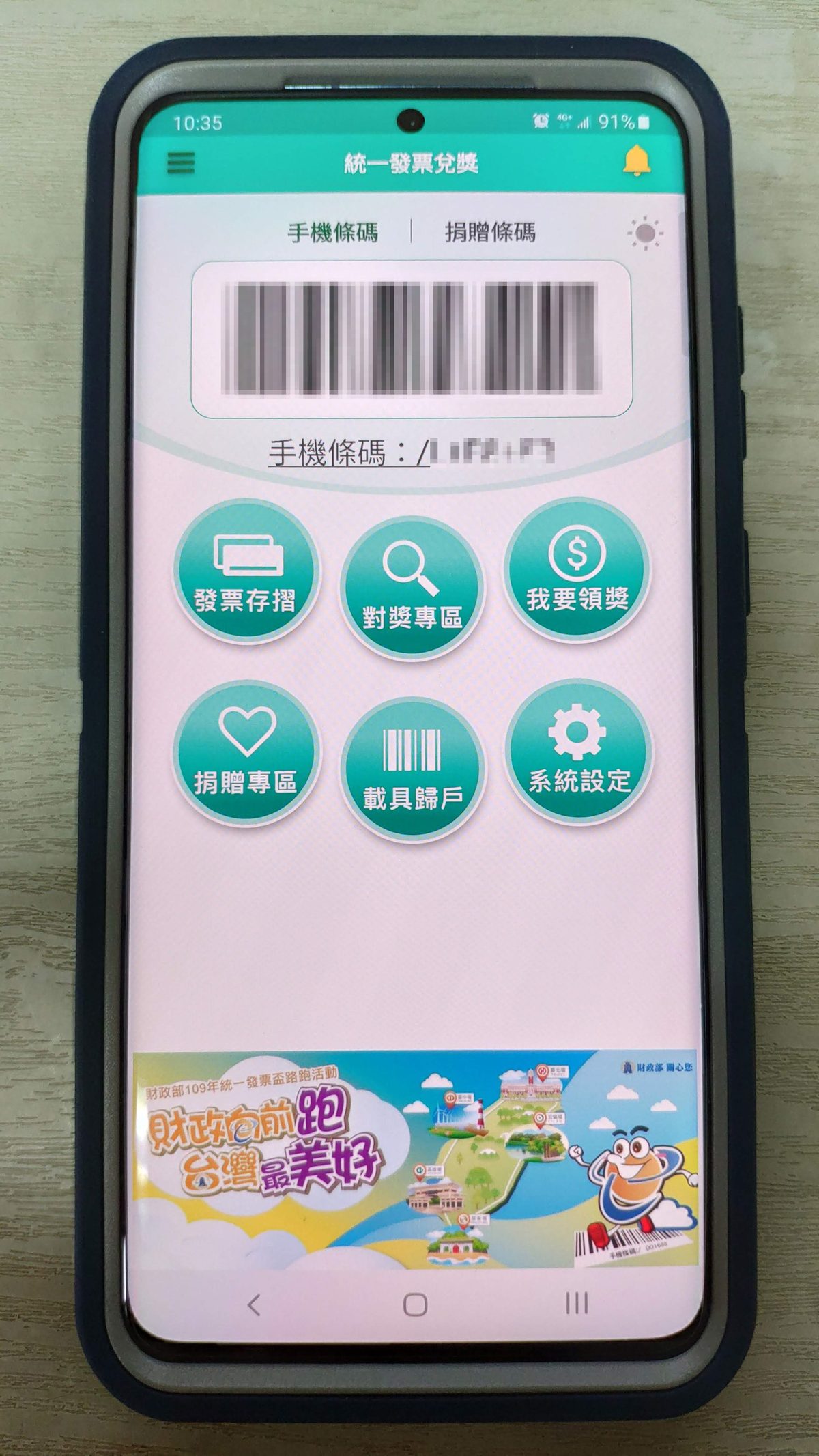
Many of China’s essential apps are Chinese-first. Alipay, Didi, Baidu Maps and dozens of mini-programs default to Chinese, and while the big ones now offer English modes, plenty of screens still come up in Chinese. Here’s how to read them:
- Look for the language toggle first. Alipay has an English interface hidden in settings, and Didi has an English mode. Worth setting up on day one.
- Screenshot and translate. Take a screenshot of the Chinese screen, open it in a translation app, and use image mode. This handles stubborn pop-ups, error messages and unfamiliar menus.
- Learn the ten most useful characters. Words like ‘confirm’ (确认), ‘cancel’ (取消), ‘submit’ (提交), ‘search’ (搜索) and ‘next’ (下一步) appear everywhere. Knowing a handful of characters makes app navigation far less intimidating.
For the wider ecosystem of Chinese apps, our essential China apps guide explains which apps you actually need and which have English interfaces.
WeChat’s built-in translation: the hidden gem
WeChat, China’s universal messaging app, has a translation tool that most visitors never discover. In any chat:
- Long-press a message and tap Translate — it converts Chinese to English in place.
- Enable auto-translate for a specific chat in the chat settings, so every incoming Chinese message is translated automatically.
This is invaluable when coordinating with hotel staff, tour guides, hosts and shop owners, all of whom use WeChat daily. It also works the other way — write in English, and use a translation app to produce a Chinese message to paste in.
Conversation mode for taxis and shops
When you need a two-way conversation — explaining a destination to a taxi driver, negotiating at a market, or asking for directions — conversation mode in Youdao or Microsoft Translator is the tool. It listens, translates, and speaks both languages back and forth.
Practical pointers:
- Keep it short. The engine translates phrases better than rambling sentences.
- Show the driver the written Chinese. Many drivers find reading a written address or phrase easier than listening to a spoken translation — keep a note with your destination in characters.
- Type the address into the maps app instead — Chinese maps handle Chinese characters far better than voice.
Offline packs: why they’re non-negotiable
The difference between a trip where translation works and one where it doesn’t is often a single offline download done at home. Offline packs let your translation app work with no signal at all — useful in the subway, in remote areas, and anywhere your data is patchy.
Before you fly:
- Open your translation apps.
- Download the Simplified Chinese–English offline pack in each.
- Test it with a sample phrase in airplane mode.
It takes two minutes and it’s the highest-value preparation you can do for the language gap.
When Google Translate needs a VPN
Google Translate is many travelers’ default, and its Chinese pack works offline. The catch: its online, camera and voice modes need the internet, and Google is blocked on Chinese networks. So if you want Google Translate’s camera to work live, you’ll need a VPN — or a roaming eSIM that routes via your home network. For that reason, many visitors use a Chinese translation app for on-the-ground needs and keep Google Translate for offline and backup use.
A note on accuracy
Machine translation has improved enormously, but it’s still not flawless. Directions, prices and names can occasionally come out wrong. For anything important:
- Double-check critical information — medicine instructions, ticket times, addresses — with a second app.
- Cross-reference with written Chinese — the characters themselves are often clearer than a garbled translation.
- When in doubt, ask. Hotel front desks and most young people in cities speak some English, and combining a translation app with a real person is the most reliable system of all.
Common translation pitfalls
A few mistakes cause most of the friction. Not downloading offline packs is the biggest — you end up with a translator that needs a signal precisely when you’re in a dead zone. Forgetting the VPN means Google Translate’s best features are unavailable. Relying on one app for everything fails when that app’s accuracy is off. And not learning the basic characters leaves you helpless when an app won’t translate a pop-up. Prepare the tools once, and the language barrier becomes a manageable puzzle instead of a wall.
The bottom line
Two translation apps — one foreign with offline packs, one Chinese that works without a VPN — plus WeChat’s built-in translate, camera mode for menus, and a handful of characters, covers essentially every translation need on a China trip. Set it all up at home, test it once, and spend your trip looking at the sights instead of at a phone.
Last updated: August 2026. Translation apps change features and offline packs frequently — confirm before you go.
Frequently Asked Questions
What is the best way to translate a Chinese app interface?
Screenshot translation is the fastest fix: take a screenshot of the Chinese screen, then open it in Google Translate, Apple Translate, Youdao or Baidu Translate and use the image translation mode. For apps you'll use constantly, look for the built-in English interface or language toggle in the settings — Alipay, Didi and WeChat all offer English modes.
Which translation apps work in China without a VPN?
Chinese-built apps such as Youdao (有道翻译官) and Baidu Translate work on local networks without a VPN. Apple Translate works offline on iPhone once you download the language pack. Google Translate works offline too, but its online, camera and voice modes need a VPN because Google services are blocked.
How do I translate messages inside WeChat?
WeChat has a built-in translation tool. Long-press a message in a chat and choose 'Translate' — it converts Chinese to English (or the reverse) in place. You can also enable automatic translation for a chat in the chat settings, which is a huge help when chatting with hotel staff or guides.
Can I point my camera at a Chinese menu and get a live translation?
Yes. Google Translate, Apple Translate, Youdao and Baidu Translate all have camera mode that overlays a translation on the text you're pointing at. It's excellent for menus, train station signs and shop labels. Accuracy is good but not perfect — for critical things like medicine labels, double-check with a second app.
Do I need a VPN for translation apps?
Not for Chinese apps like Youdao and Baidu Translate, and not for offline packs. You only need a VPN for Google Translate's online features (camera, voice, web translation). Many travelers install one Chinese translation app and one foreign app, and use whichever fits the situation.